








Can I join live dealer tables from my phone?
Yes. Live Casino, Roulette, Blackjack and Game Shows all stream to mobile, and Live Cashback counts on the phone in the same way as on a computer.
The Wonaco Casino app is our full website shaped for a phone screen. It opens in your mobile browser, so there is no store listing to hunt for and nothing to download. Pokies, live dealer tables, promotions and the cashier all sit at the same address you use on a computer.
Below we show what you can play on mobile, how bonuses and your account work there, how to pin an icon to an Android or iOS home screen and how to keep things running smoothly on your devices.
On a phone the lobby keeps every tab from the desktop site: Top, New, Popular, Exclusive, Slots, Roulette, Blackjack, Game Shows, Live Casino and Jackpots. Swipe across the row to move between them, and tap a tile to load the game in the same window.
Pokies suit a small display well. Titles such as Le Bandit, Piggy Bankroll and Hot Step 3 are easy to play one-handed, and turning the phone sideways gives some games a wider view of the reels. Gates of Olympus Super Scatter and Diamond Strike XXL are in the same lobby, along with the rest of the Slots tab.
Live Casino streams real dealers to your screen. Hold the phone upright to keep the betting controls close to your thumb, or rotate it for a bigger picture of the table. A steady connection matters most here, so a strong Wi-Fi or mobile signal keeps the video sharp. Roulette and Blackjack tables have tabs of their own, so you can go straight to your preferred game without scrolling through the whole live section.
The Demo button works on mobile too. It is handy for learning a new pokie on a short commute before you play for real money, since a demo round never touches your balance.
Every promotion from our desktop site is open on mobile as well. The three-part welcome package with free spins, Daily Cashback, Live Cashback, the weekend and weekly reloads, tournaments, the Coin Shop and Challenges can all be activated from your phone. VIP Club members keep their perks on every device, including the personal VIP manager. Promotion terms do not change between devices either, so you can read them on the Promotions page from the phone before you opt in.
The cashier sits in the main menu of the Wonaco Casino app. It lists the payment methods and balance currency available for your country: choose one, enter the amount and confirm. A deposit made on the phone shows on the computer straight away, because the account behind both is the same.
Withdrawals go through that same screen. Before the first one we may ask you to verify your identity, and our team will tell you exactly what is needed.
Live chat opens from the menu around the clock, 24/7. Questions about a deposit, a bonus or your account settings never have to wait until you are back at a desk.
Only the layout changes. On a narrow screen the menu and the game tiles are rearranged to fit, while the things that matter stay put: one account, one balance, the same bonus terms, the same deposit and withdrawal options and the same support team.
Many players keep both. A computer is pleasant for a long live session on a big screen, and the phone covers a quick round of pokies away from home. The Wonaco Casino app makes switching painless, since signing in on either device brings back the bonus you activated and the game you left.
A few habits are worth adjusting on mobile. Calls and messages from other apps can interrupt a live hand, so a do-not-disturb mode helps during table play. Public Wi-Fi in cafes and airports is less private than your own network, which makes mobile data the better choice whenever you make a payment.
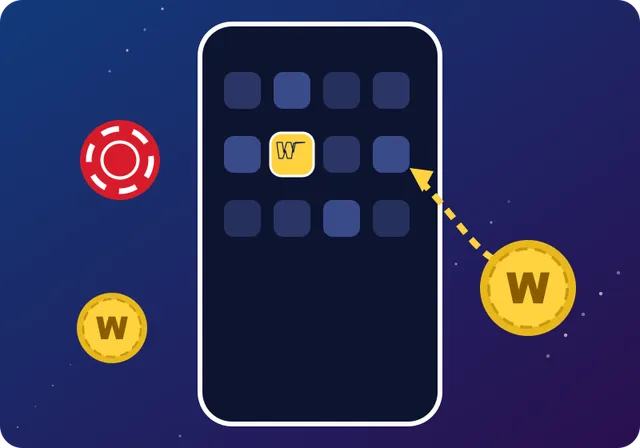
Your browser creates the icon for you. It takes a few seconds, costs nothing and installs no extra program. Here are the steps for the two main systems.
Load our site in Chrome.
Tap the menu marked with three dots.
Choose Add to Home screen; newer versions of Chrome may call it Install app.
Tap Add, then drag the icon to wherever you want it.
Other Android browsers usually hide a similar option in their own menu, often under the page or share settings.
Visit our site in Safari.
Tap Share, the square with an upward arrow.
Select Add to Home Screen from the options.
Tap Add, and the icon takes the next free spot.
From then on, the Wonaco Casino app starts from that icon like any other app on your phone. It always loads our latest version, so you never install updates by hand. Deleting the icon removes only the shortcut, while your account and balance stay safe with us.
Because everything runs in the browser, the requirements are modest: a recent Android or iOS device with an up-to-date browser. Older phones still open the site, though heavier games may take longer to load on them. The connection matters more than the phone itself. Pokies use little data, while live dealer streams use far more, so for long live sessions Wi-Fi is the better choice.
Video and a bright screen drain a battery fastest. Lowering the brightness a little or plugging in during a long live session keeps the phone going.
If the Wonaco Casino app freezes or shows an old layout, try these steps:
Still stuck? Message live chat with your phone model and browser, and an agent will help you find the cause. For security, keep a screen lock on the device and sign out if other people use it.
Yes. Live Casino, Roulette, Blackjack and Game Shows all stream to mobile, and Live Cashback counts on the phone in the same way as on a computer.
It depends on the game. Pokies are light, while live dealer streams need much more, so switch to Wi-Fi for long sessions at the tables.
No. The Wonaco Casino app is our browser site pinned to your home screen, so you add it from Safari or Chrome rather than a store.
Yes. Many games carry the Demo button on the phone, just as they do on the desktop site.
Yes. iPads and Android tablets open the same site, and the larger screen suits live dealer tables and pokies with busy reels.
Nothing changes on your account. Your balance and bonuses stay with us, and you can pin the icon again at any time.